Figy Terminal
Panes, tabs, search, history, a system monitor and a command palette — the terminal fundamentals, done properly.
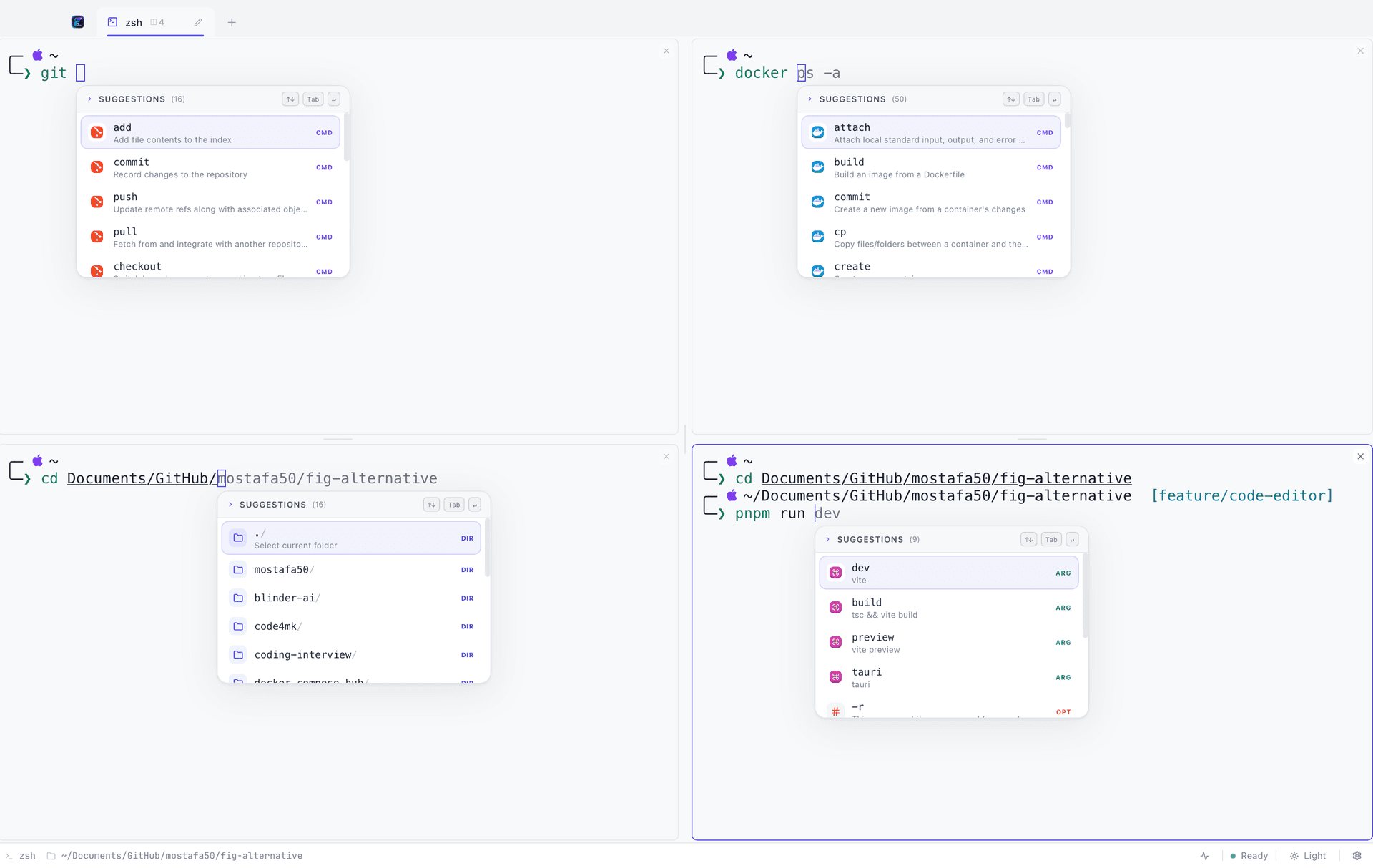
Four panes, one tab
Split horizontally or vertically, resize by dragging. Every pane is a real PTY with its own working directory and its own completions.
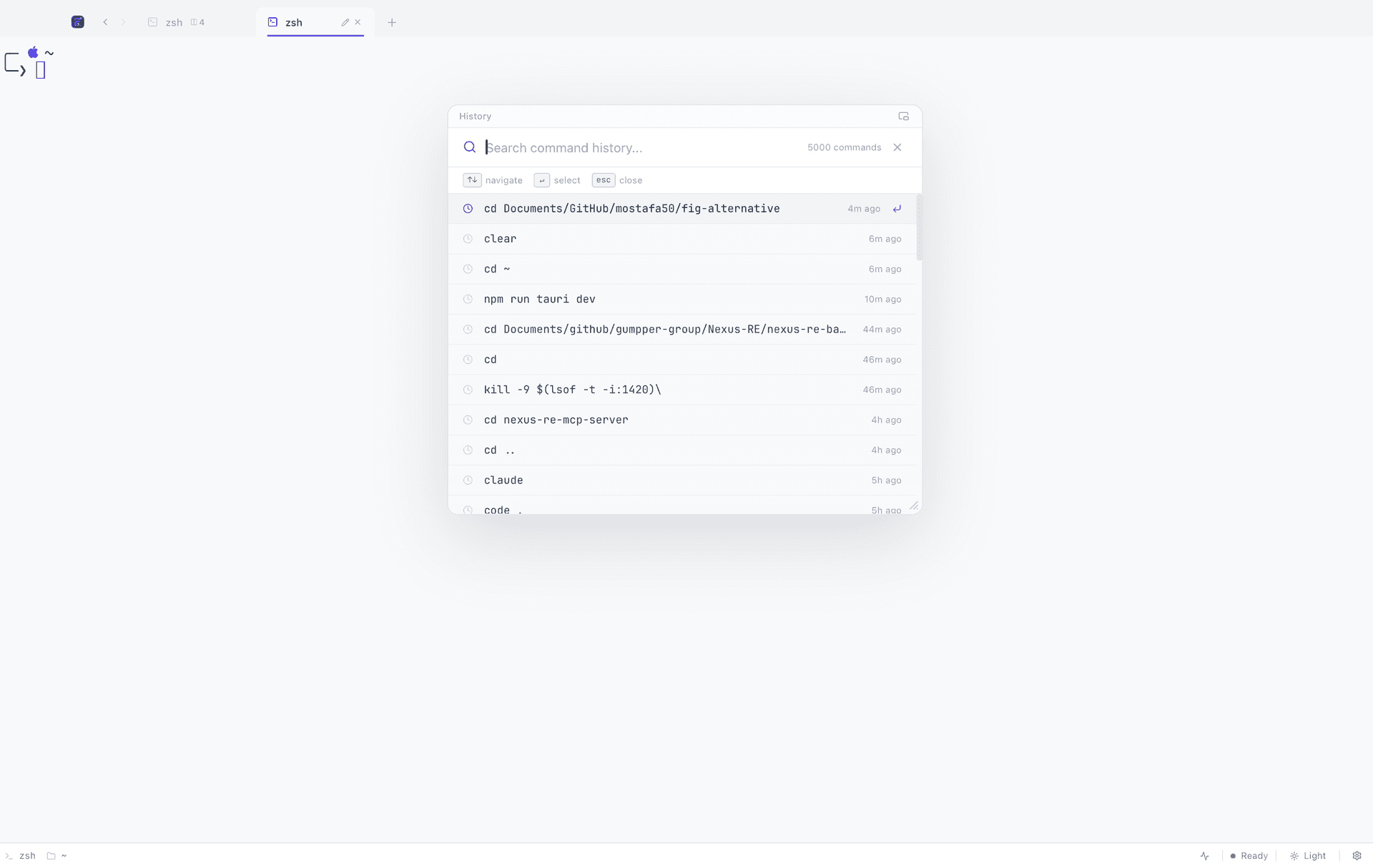
Everything you have run
Fuzzy-search your shell history, then pin the panel picture-in-picture so it stays on top while you keep typing.
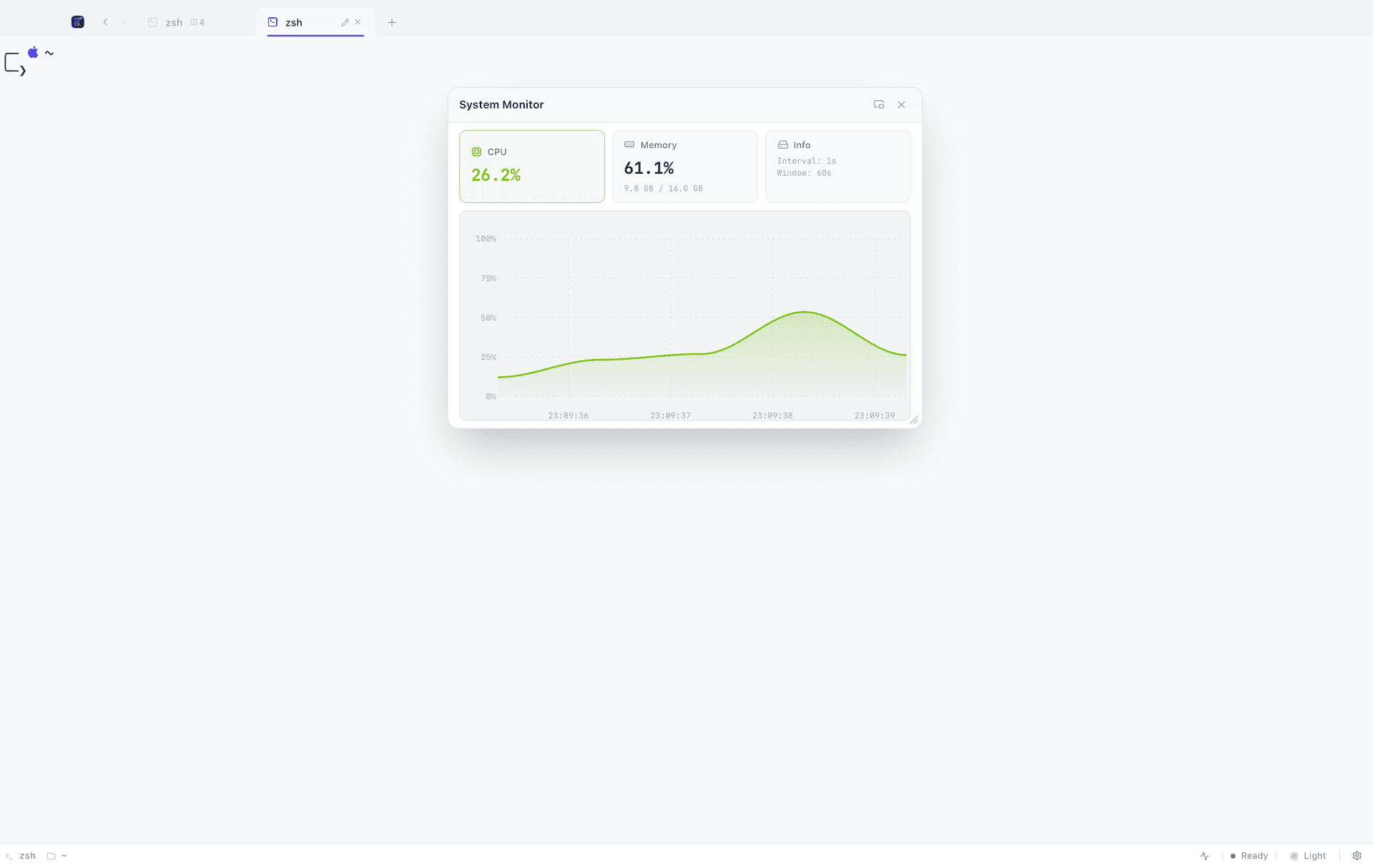
Watch the machine
Live CPU and memory charts in a draggable modal, so a runaway build is obvious before the fans tell you.
Suggestions as you type
The popup opens on the first keystroke of an argument and narrows with every letter after it. Tab accepts, arrows navigate, Esc dismisses.
Fig's spec format
A spec is a plain TypeScript description of a command. Figylo reads the format Fig used, so completions written for it work here unchanged.
Nothing leaves the machine
Matching happens in the Rust backend against specs on disk. The command you are halfway through typing is never sent anywhere.
Panes and tabs
Up to four resizable panes per tab, split either way without leaving the keyboard. Tabs drag to reorder and rename inline, and a new tab can open already sitting in the active directory — the small thing you reach for a dozen times a day.
- ⌘D / ⌘⇧D
- Split the active pane horizontally or vertically.
- ⌘T / ⌘⇧T
- New tab, or a new tab in the same directory.
- ⌘1–9
- Jump straight to a tab.
Search that stays out of the way
⌘F finds text in the active pane. ⌘R opens a fuzzy search across your whole shell history — and unlike the shell's own reverse-search, it can be pinned picture-in-picture, so the list stays visible while you type the command it reminded you of.
A monitor, a palette and a theme picker
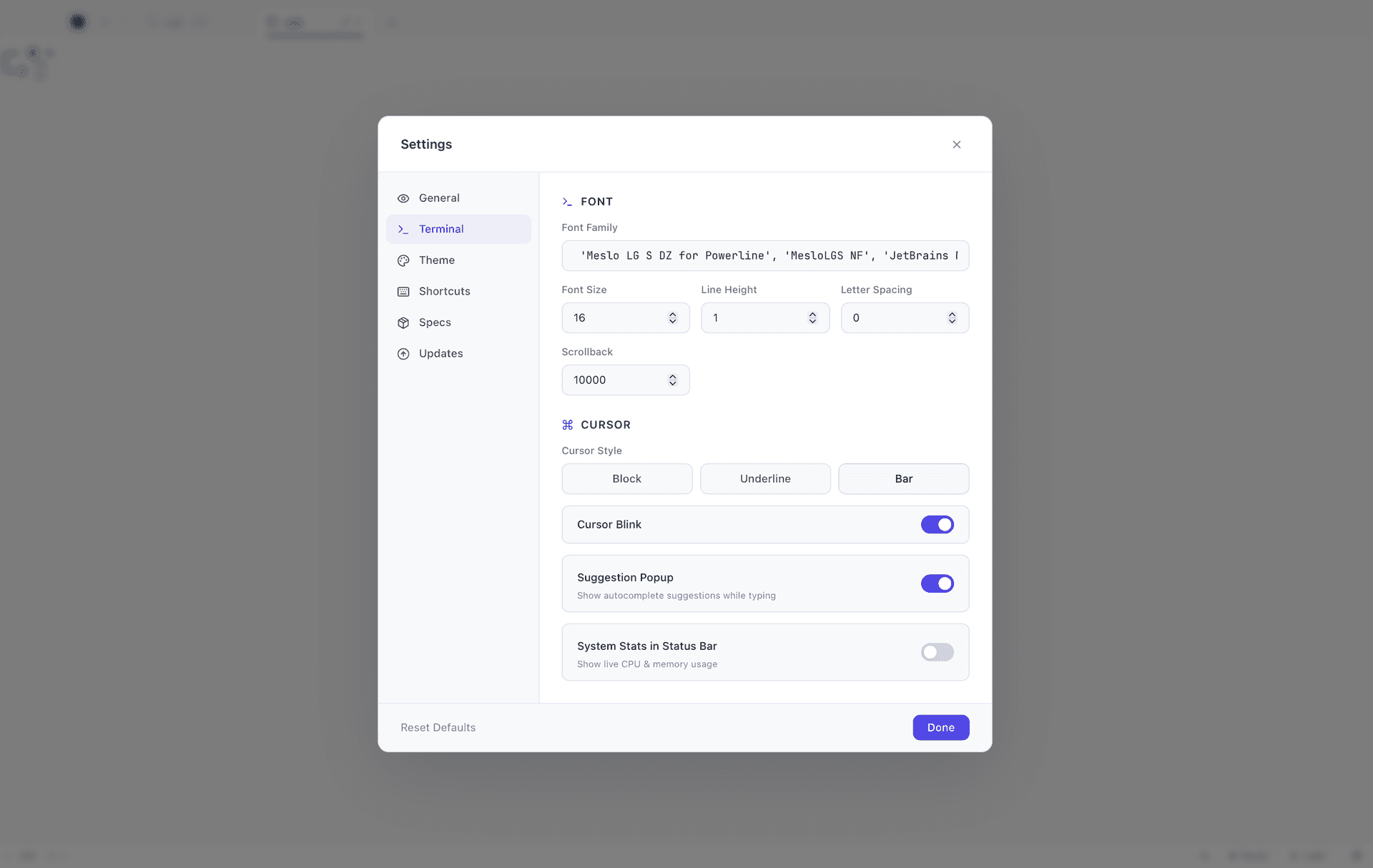
⌘⇧M puts live CPU and memory charts in a draggable modal. ⌘⇧P opens a palette holding every action the app has, each spelled for the platform you are on. ⌘⇧L flips between light and dark. And on zsh platforms, Settings browses your Oh My Zsh themes with the prompt fully rendered — custom themes included — applying live with no dotfile to edit.
Native performance
A Rust PTY backend behind xterm.js rendering, in a Tauri 2 shell rather than an Electron one. Input has no perceptible latency, memory stays in tens of megabytes, and every heavy panel — the editor, the browser, the API client, the drawing board — is loaded the first time you open it, so none of them cost anything at launch.
Autocomplete, in every pane
Completions are part of the terminal rather than a plugin on top of it, so every pane has them in whatever shell that pane is running. What follows is how they work.
It knows what the command means
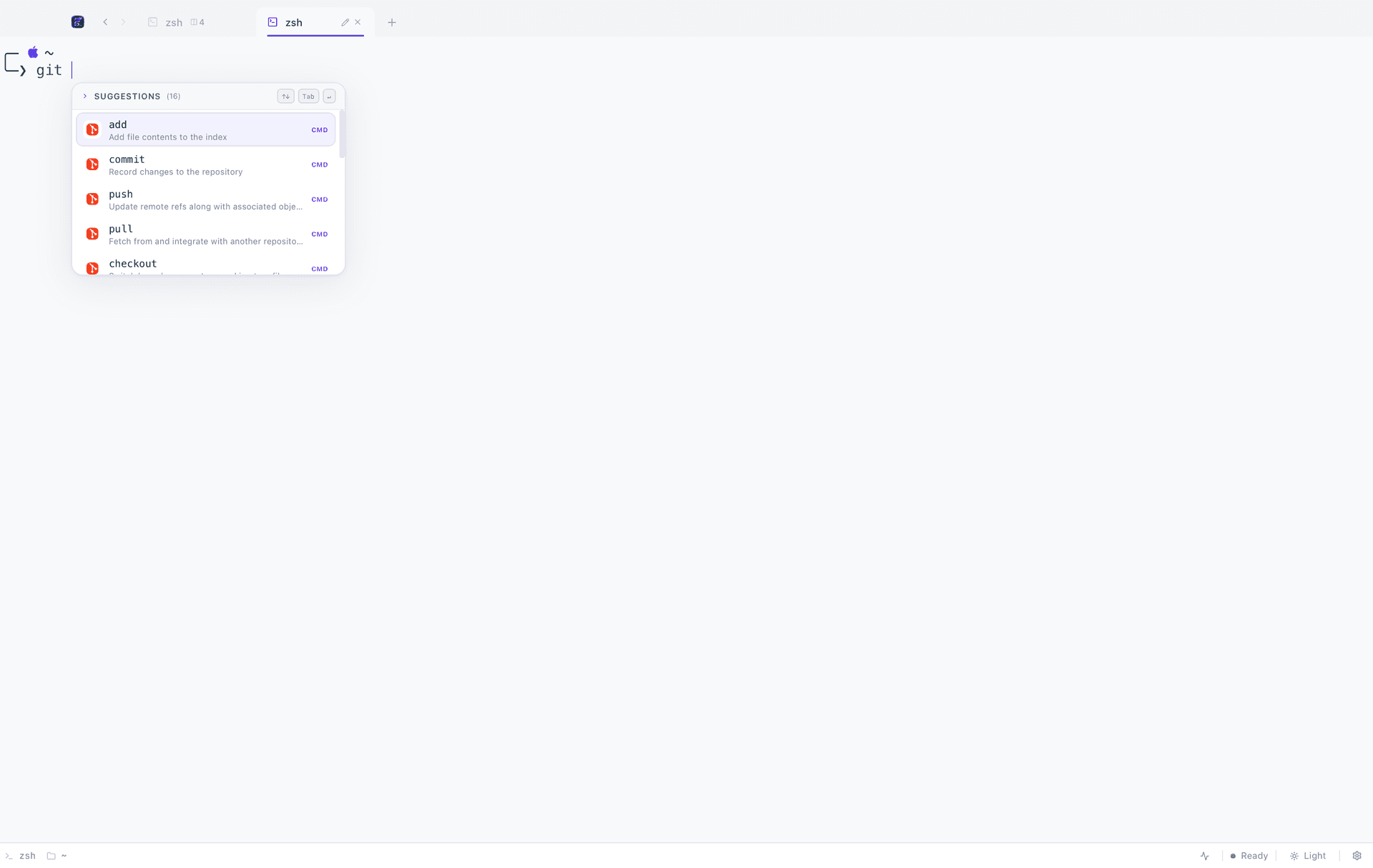
A completion engine that only knows filenames is a filename completer. Figylo reads a description of each command — its subcommands, the options each of those takes, and what kind of argument sits in each position — so the list you get after `git ` is git's subcommands with their own descriptions, and the list after `git checkout ` is your branches.
- Subcommands
- With the one-line description the tool's own help gives them.
- Options and flags
- Long and short forms, filtered to the subcommand you are actually in.
- Dynamic arguments
- Branches for git, services for docker compose, scripts read out of package.json or pyproject.toml.
Paths, ordered the way you work
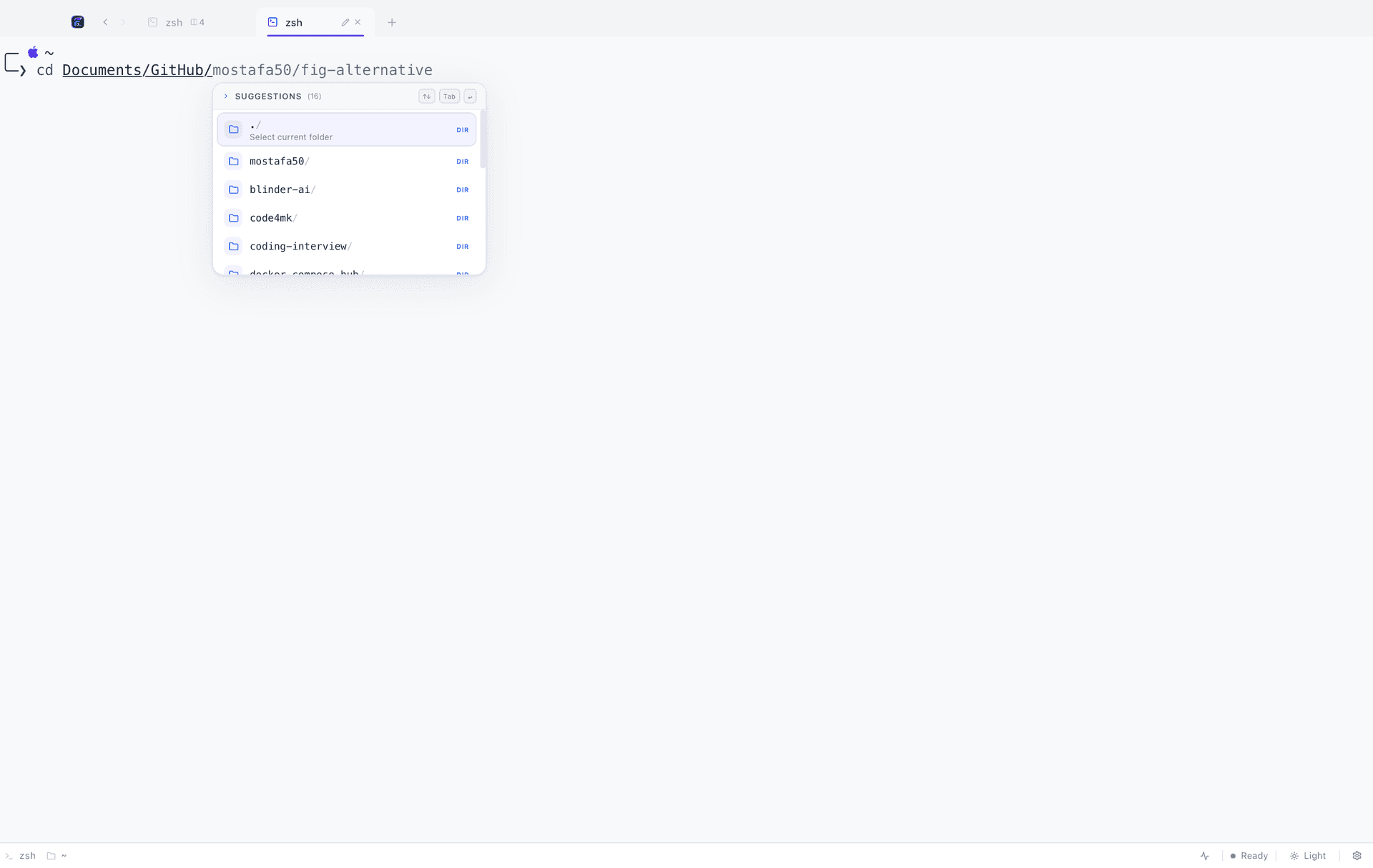
Path completion reads the filesystem natively rather than shelling out, and orders what it finds by how recently you were there. The folder you visited four minutes ago is at the top of the list, not sorted alphabetically underneath a directory you have never opened.
Eight commands covered out of the box
Built-in specs ship for the tools most sessions are spent in, and adding your own CLI is a single TypeScript file in the repository. Anything without a spec still gets path, directory and shell built-in completion.
git              subcommands, branches, options
docker           commands, containers, images, options
docker compose   services, commands, options
npm / pnpm       scripts from package.json, packages, options
yarn             scripts, packages, options
uv               scripts from pyproject.toml, options
cd directories, recent-first orderingFAQ
Figy Terminal, in short
How many panes can one tab hold?
Four, split horizontally, vertically or both. Each one is an independent PTY with its own working directory, its own scrollback and its own autocomplete.
Does the system monitor cost performance?
It samples only while the modal is open, and the charts are drawn from a small rolling window. Closing it stops the sampling entirely.
Does the Oh My Zsh theme picker work on Windows?
No. It reads ~/.zshrc and so only applies where zsh does — macOS and Linux. The Windows equivalent would be Oh My Posh, which Figylo does not manage yet.
Does autocomplete work with my shell?
Yes. Completions are computed by Figylo itself rather than by the shell, so zsh, bash, fish, PowerShell 7 and cmd.exe all behave the same. Nothing is installed into your dotfiles and no shell plugin is required.
Can I add autocomplete for my own CLI?
Yes. Specs are plain TypeScript definitions in the repository, and the spec authoring guide walks through adding a new command. Pull requests for new specs are welcome.
Is it slower than my shell's own completion?
No. Matching runs in Rust against specs already in memory, with no subprocess to spawn and no network round-trip, so the popup keeps up with typing.
Give your terminal its whole workbench
Free, MIT licensed, and entirely local. On macOS one command does it; Linux and Windows are one download away.
curl -fsSL https://raw.githubusercontent.com/code4mk/figyterm/main/install.sh | sh